Rental Property Spreadsheet
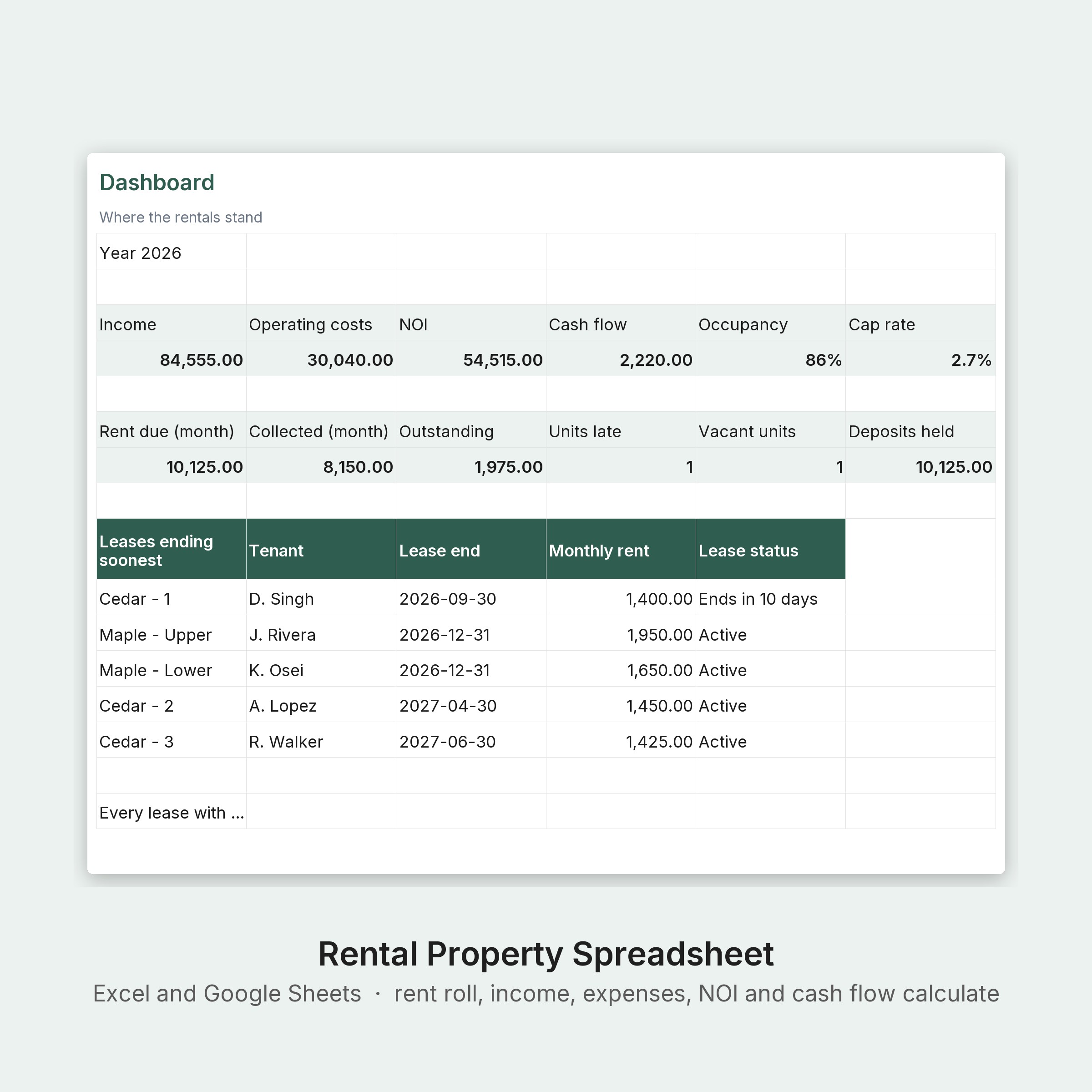
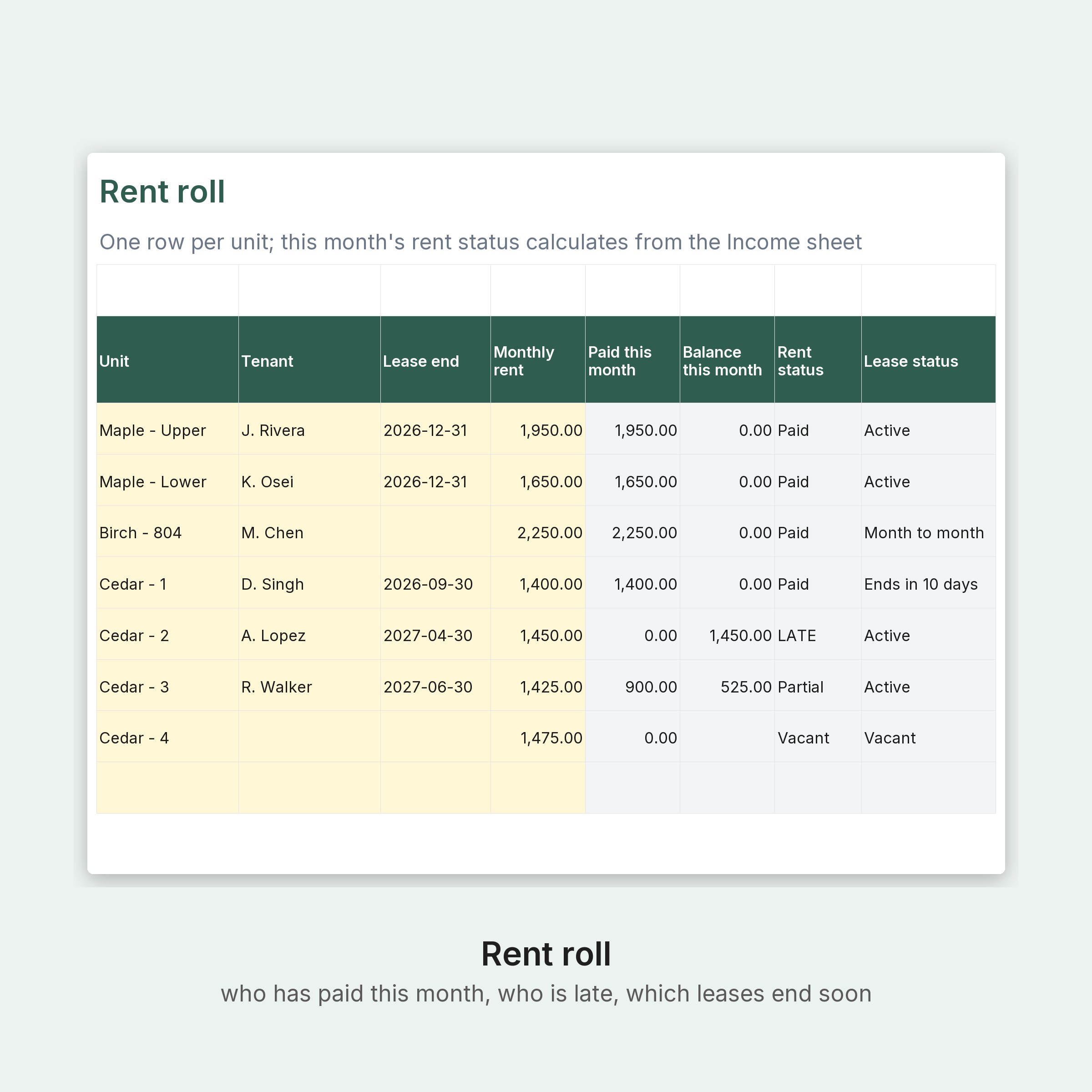
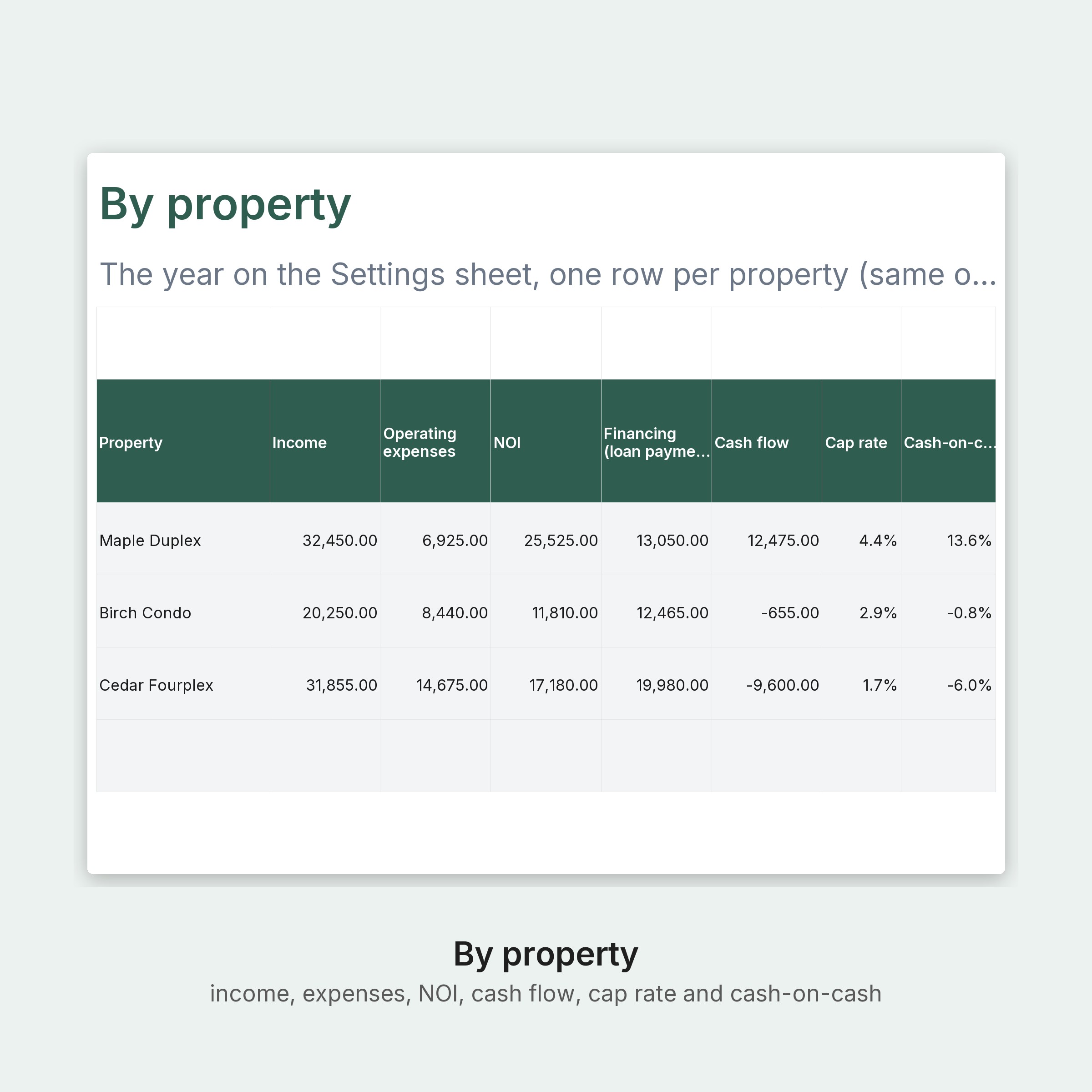
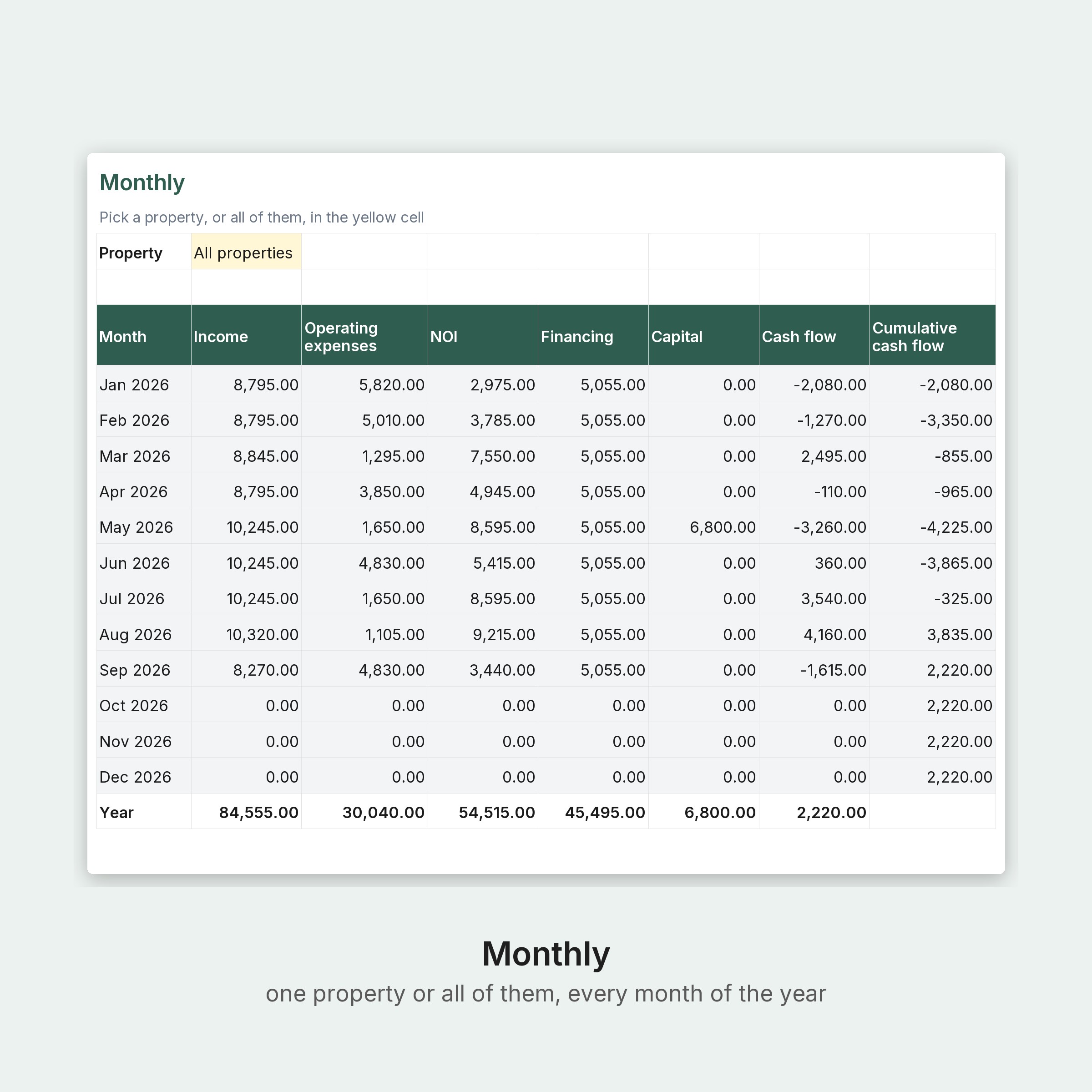
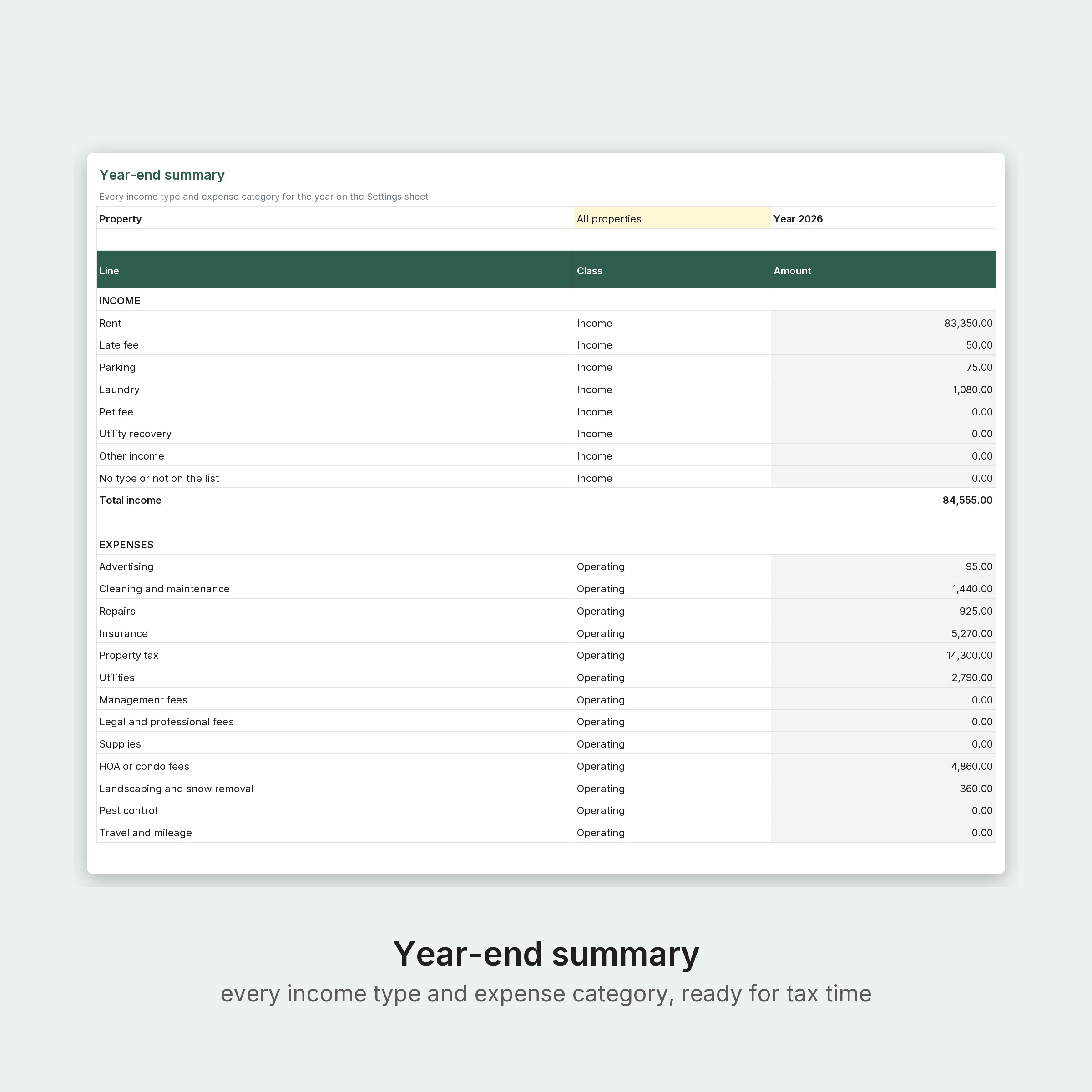
A rental property spreadsheet for landlords with one unit or a small portfolio. Log rent and expenses as they happen and it tells you who has paid this month and who is late, which leases end soon, and for each property the income, operating expenses, net operating income, cash flow, cap rate and cash-on-cash return, month by month and for the year, with a year-end summary that lists every income type and expense category for whoever prepares your taxes.
Checkout opens on Stripe. The download page appears the moment payment goes through, and your receipt email carries the link. Digital files only; nothing is shipped.
- Excel Rental-Property-Spreadsheet.xlsx
- PDF Rental-Property-Spreadsheet-Quick-Start.pdf
Also sold on Etsy; buying here costs less and the files are the same.
A rental property spreadsheet for landlords with one unit or a small portfolio. Log rent and expenses as they happen and it tells you who has paid this month and who is late, which leases end soon, and for each property the income, operating expenses, net operating income, cash flow, cap rate and cash-on-cash return, month by month and for the year, with a year-end summary that lists every income type and expense category for whoever prepares your taxes.
WHAT YOU GET
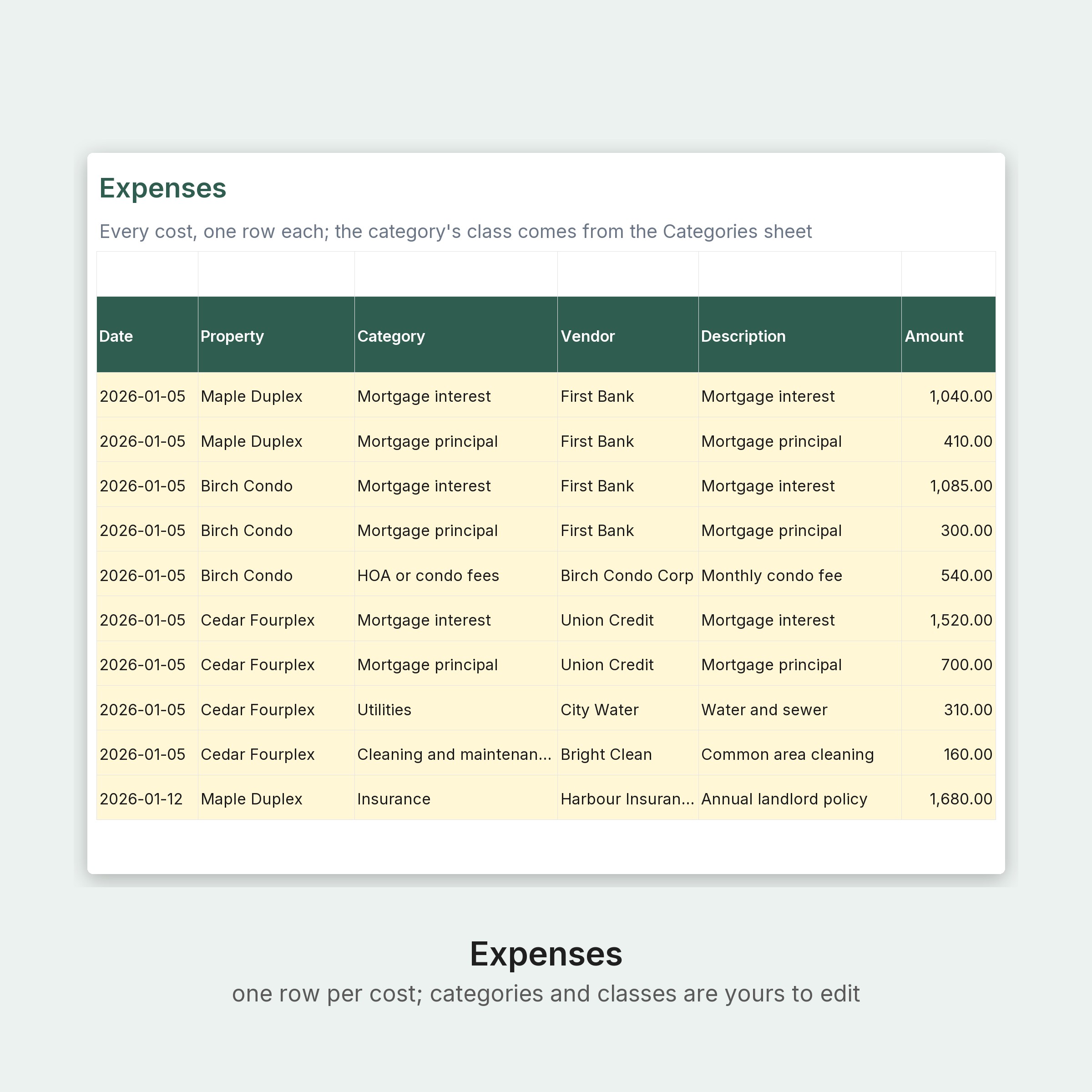
- Rental Property Spreadsheet (Excel): Start here, Dashboard (income, expenses, NOI, cash flow, occupancy, cap rate, rent due, collected and outstanding this month, units late and vacant, deposits held, leases ending soonest, chart by month), Rent roll (60 units, rent and lease status), Income (3,000 rows, late payments can be applied to the month they were for), Expenses (3,000 rows), Monthly (pick one property or all, with a chart), By property (side by side), Year-end summary (pick one property or all), Properties (20, with equity, cap rate, cash-on-cash), Categories (edit freely), Settings
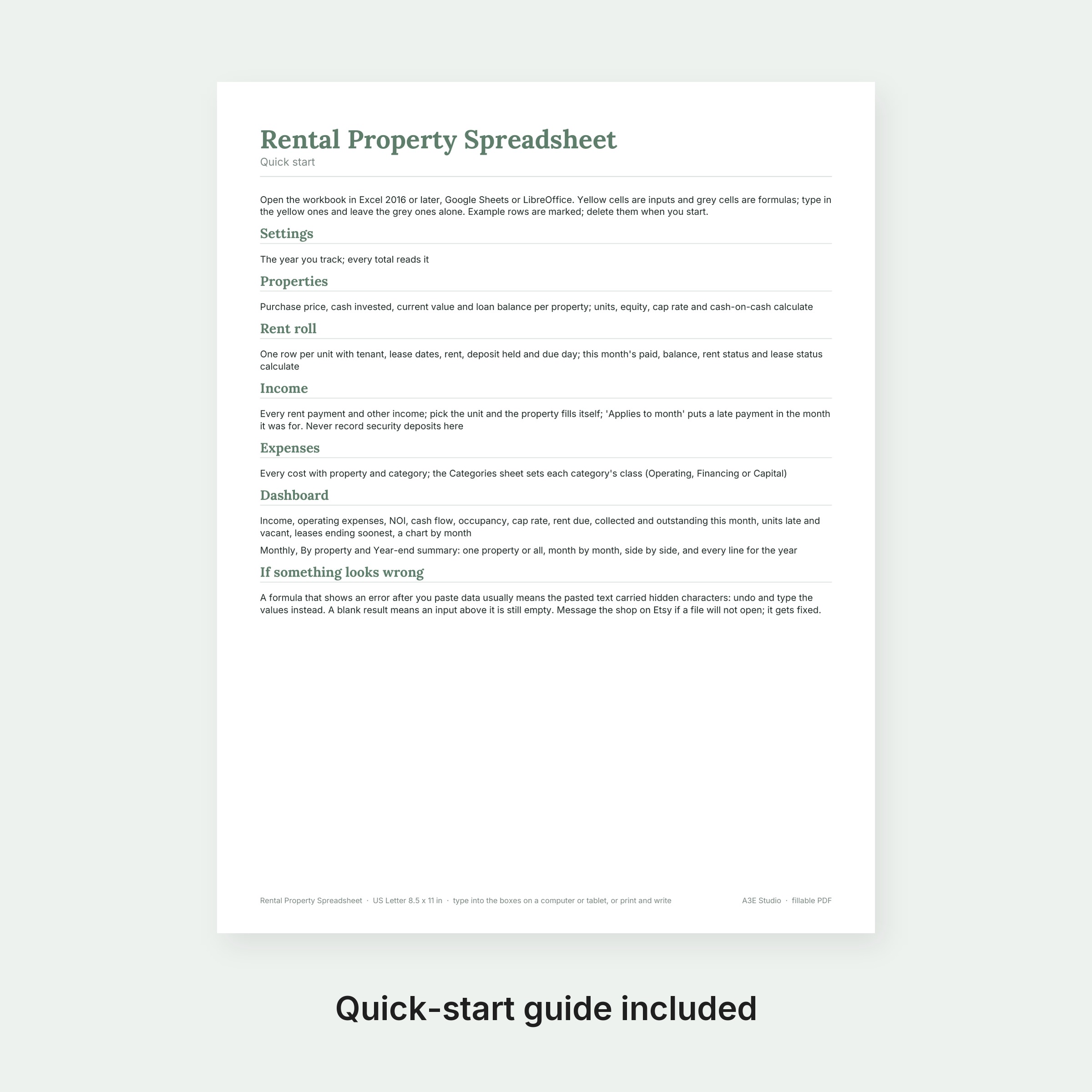
- Quick-start PDF
18,930 formulas, recalculated and checked for errors before listing.
HOW TO USE
1. Buy, then download on the page that opens right after payment (your Stripe receipt email carries the same link).
2. Open the workbooks in Excel 2016 or later, Google Sheets or LibreOffice; the quick-start PDF opens in any PDF app.
3. Yellow cells are inputs, grey cells calculate. Replace the example rows with your own.
PLEASE NOTE
- Digital download only; nothing is shipped. Returns are not possible on digital files; if a file will not open, email [email protected] and it gets fixed.
- Works in Excel 2016 or later, Google Sheets and LibreOffice; drop-downs and charts included. Amounts are plain numbers, so any currency works. The example portfolio is made up; delete its rows when you start. A bookkeeping record, not tax or legal advice.
- Templates are not legal, tax or insurance advice. Have agreements reviewed by your own counsel and follow your own operating rules.
- For use in one business. Not for resale or redistribution.
Designed by A3E Studio (Ontario, Canada) and generated by our own software; every formula is recalculated and checked before listing.